maya__xx
Started using this for long emails on my commute. Way easier than staring at my phone at red lights.
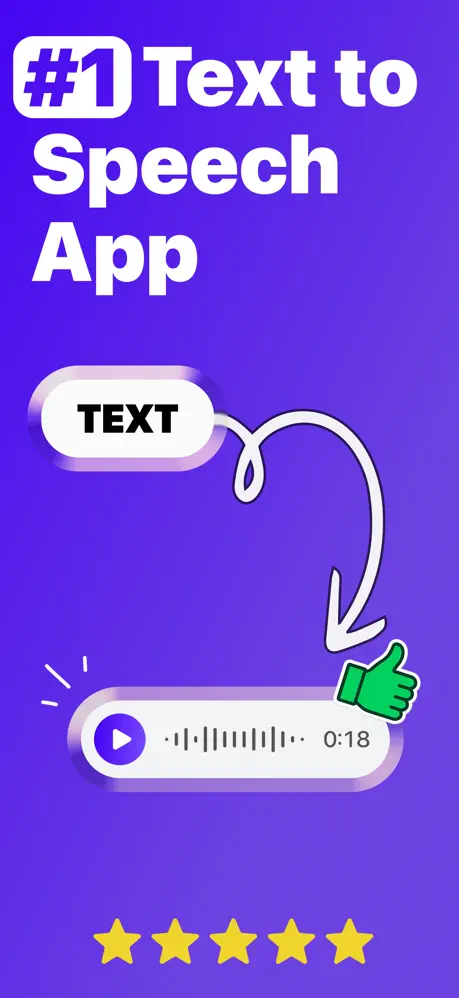
The most realistic AI voice generator. Type, tap, and listen to audio. Or clone any voice in seconds.
Free download · No account required
4.8 on the App Store
maya__xx
Started using this for long emails on my commute. Way easier than staring at my phone at red lights.
noahcutts
Voice clone is actually solid. I used it for a quick product video and didn't need to record 12 takes.
zoebonya
Super simple. Pasted in some text, picked a voice, and it sounded good right away.
livy
I run my drafts through this before publishing. Catches awkward lines fast.
ben_at_6am
Turned my reading list into audio and got through it at the gym. Very good use of 40 minutes.
jules
We use a cloned voice for weekly team updates now. Swap the text, export, done.
dev_aaron
After a full day of code, listening to docs feels so much better than more screen time.
ria0121
Tried a bunch of TTS apps. This is the first one that didn't sound weird after 30 seconds.
kian_reads
Mostly using it for long articles. Easy way to get through more without sitting down to read everything.
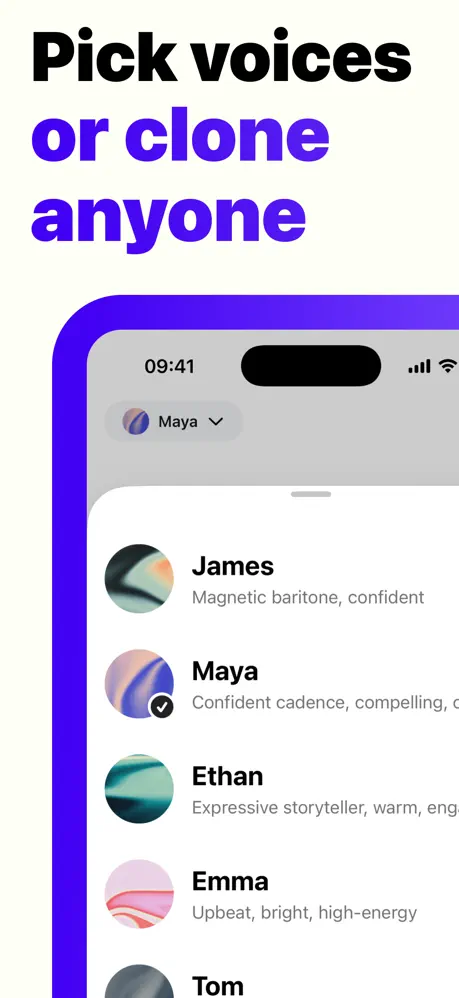
Best in class voices. Our AI engine delivers natural tone, emotion, and expression.
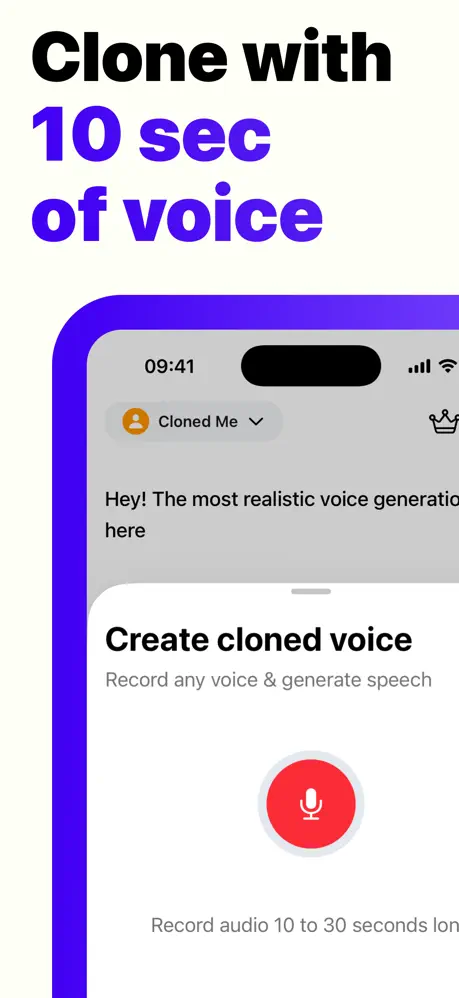
Record a short sample, and generate hours of custom voice speech.
Break language barriers with support for 50+ languages.
Type your text, tap Generate, and your speech is ready.
Export directly to TikTok, Snapchat, WhatsApp, and more.
Free to download. No account required.

Scan to download
Text to speech (TTS) is AI technology that turns written text into spoken audio. A modern text to speech app uses AI to produce natural pronunciation, pacing, and tone, making it useful for voiceovers, videos, accessibility, studying, and everyday listening.
Our AI text to speech engine analyzes your text, punctuation, and sentence structure to generate realistic speech. You paste or type your text, choose an AI voice, and tap Generate to create text to audio in seconds.
Text to speech software is for content creators, marketers, educators, students, businesses, and anyone who needs fast voiceovers. It works well for TikTok videos, YouTube content, presentations, podcasts, training materials, and accessibility use cases.
Yes. The app is free to download from the App Store, and you can start using the AI voice generator without creating an account. The free version includes core text to speech features with usage limits.
The AI voices are designed to sound clear, smooth, and human-like. Our neural text to speech system captures natural rhythm, emphasis, and intonation, so the audio works well for short-form videos, narrations, and longer listening sessions.
The app includes dozens of AI voices across different genders, ages, tones, and styles. You can choose voices for social media content, professional voiceovers, audiobooks, explainers, and more.
Voice cloning is AI technology that creates a custom digital voice from a short voice sample. With a voice cloning app, you can generate new speech in a voice that sounds like you. Voice cloning should only be used with proper consent.
Record a short sample in the app, and the AI analyzes your pitch, tone, accent, and speaking style. It then creates a custom AI voice clone you can use to turn text into speech that sounds like your recorded voice.
The text to speech app supports 50+ languages, including English, Spanish, French, German, Italian, Portuguese, Chinese, Japanese, Korean, Arabic, Hindi, Russian, Dutch, and Swedish. Many languages also include multiple AI voices and regional accent options.
Available accents include popular English options like American, British, Australian, and Indian, plus regional variants in other supported languages. This makes it easier to match your AI voiceover to your audience and content style.
Your text is processed securely, with data encrypted in transit. We do not sell or share your personal information, and your generated content stays under your control.
Your text is processed for audio generation and not kept as long-term stored content. Generated audio files remain on your device, so you stay in control of the content you create.
Voice cloning data is handled securely and used only to create your personal voice model. Your voice samples are not used to train other users' models or shared with third parties.
No. You can download the text to speech app and start generating audio without creating an account. That makes it easy to try the app quickly and create voiceovers right away.
Open the app, paste or type your text, choose an AI voice, and tap Generate. In a few seconds, you can preview, save, and share your text to speech audio.
You can export audio to TikTok, Instagram, Snapchat, WhatsApp, and other apps through the iOS share sheet. You can also save files to your device or send them with AirDrop, Messages, or email.
Generated audio is high quality and suitable for explainer videos, presentations, e-learning, podcasts, social media content, and business voiceovers.
The text to speech app is available for iPhone and iPad on the App Store. It is optimized for iOS devices running iOS 15 or later.
Yes. An internet connection is required to generate audio because the AI text to speech processing runs in the cloud.
Audio generation usually takes just a few seconds. You can type your text, tap Generate, and quickly preview the finished AI voice output.
The app generates high-quality audio files that are easy to use in video editors, podcast workflows, and social media apps.
Yes. The app is built for creators who need AI voiceovers for TikTok, Instagram Reels, YouTube Shorts, and other social media videos. You can generate audio fast and export it into your editing or publishing workflow.
Yes. The AI voices are suitable for professional voiceovers, including presentations, marketing videos, e-learning content, product demos, and podcasts.
Yes. Students can turn notes, articles, and study materials into audio to listen while commuting, walking, or reviewing lessons. It is a simple way to make studying more flexible.
The free version includes access to AI voices, text to speech generation, voice cloning, and sharing features. It is a simple way to try the app before upgrading, with usage limits based on available tokens.
You can cancel anytime in iPhone Settings > Apple ID > Subscriptions. Premium access stays active until the end of your current billing period.
Yes. The premium trial gives you access to advanced features, including more voices and voice cloning. If you cancel during the trial period, you will not be charged.